 Aleksander Roszig
June 30, 2026 | 13 min Read
Aleksander Roszig
June 30, 2026 | 13 min ReadGitOps with Argo CD on Kubernetes: Architecture, Setup & Best Practices
Table of contents
- What Is GitOps?
- GitOps vs Classic CI/CD – Pull vs Push Model
- What Is Argo CD and How Does It Work
- Installing Argo CD
- Your First Application – the Application Object
- Scaling GitOps – App of Apps and ApplicationSet
- Deployment Order – Sync Waves and Hooks
- Managing Secrets in Argo CD
- Argo CD Security – RBAC and SSO
- Most Common Mistakes and Pitfalls
- When Should You Adopt GitOps?
- Summary
Containerization and Kubernetes solved the problem of running applications in a repeatable way and at large scale, but they created a new one: how do you manage dozens of manifests, across several environments, in many teams at once, in a controlled way? Manual kubectl apply, a pipeline with access to the production environment, and configuration that nobody can reproduce — that’s the daily reality for many teams. The answer to this chaos is GitOps, and one of the leading tools that implement it is Argo CD.
In this article I’ll explain what GitOps is, how it differs from classic CI/CD in the push model, how the Argo CD architecture is built, and how to deploy it in practice — from your first application, through the two main patterns App of Apps and ApplicationSet, all the way to secrets, RBAC and the most common pitfalls.
What Is GitOps?
GitOps is an operating model in which a Git repository is the single source of truth about the desired state of the system. You don’t manage the cluster by issuing commands to it — you manage it by describing how it should look, and letting a dedicated agent drive reality toward that state.
The OpenGitOps initiative (part of CNCF) defines four GitOps principles:
- Declarative — the entire system is described declaratively. You say “I want 3 replicas of this service”, not “start three containers”.
- Versioned and immutable — the desired state is stored in a way that ensures immutability, versioning and a complete version history.
- Pulled automatically — agents automatically pull the desired state from the repository.
- Continuously reconciled — agents continuously observe the actual state and correct it toward the desired state.
The consequences are very practical: Git becomes an audit log (who changed what and when), a rollback is just a commit revert, and the environment can be reproduced from scratch with nothing more than access to the repository and an empty cluster.
Advantages of Working in the GitOps Model
By using a Git repository much like you work with source code, GitOps delivers several important benefits:
- It makes it easier for many people to work on a single application or infrastructure project.
- Auditability and tracking of the changes that were made. Any change that introduced an undesired state can be easily reverted using a “revert” in the repository.
- You increase security because your developers don’t need access to the production environment to work on applications. Access to the Git repository is enough — without logging into the Kubernetes cluster, they can scale up application resources or change parameter settings.
- You can manage the entire infrastructure and application development process using a single tool. This allows for better collaboration and coordination between teams, resulting in fewer errors and faster problem resolution.
GitOps vs DevOps and Infrastructure as Code
GitOps is not a competitor to DevOps — it’s a concrete way of realizing its ideas. People also often ask about its relationship to IaC (Infrastructure as Code). The difference is subtle but important: IaC (e.g. Terraform) usually describes a state that you apply deliberately, manually or from a pipeline. GitOps adds continuous, automatic state reconciliation — the agent doesn’t wait for someone to run apply, it makes sure on its own that the cluster state always matches the repository.
GitOps vs Classic CI/CD – Pull vs Push Model
This is the most important difference you need to understand.
In classic CI/CD (the push model) the pipeline (e.g. Jenkins) runs kubectl apply or helm upgrade directly against the cluster after building the image. This means that:
- the pipeline must have access to the environment with the ability to make changes on the cluster — these credentials leave the cluster’s boundaries and are stored in the CI system,
- after deployment nobody is watching whether the state matches what was agreed — if someone changes something manually via
kubectl edit, that change will persist, - reproducing the state requires knowing which pipeline, and from which commit, was last run.
- you have to open access to the Kubernetes API from the CI/CD environment, which is an additional risk.
In the GitOps pull model, an agent running inside the cluster pulls the desired state from Git and deploys it itself:
- cluster credentials never leave its boundaries — it’s the cluster that reaches out for the manifests, not the other way around,
- configuration drift is detected and corrected automatically,
- the source of truth is a single repository, independent of the CI tool.
- there’s no need to open the firewall to the cluster API from the CI/CD environment.
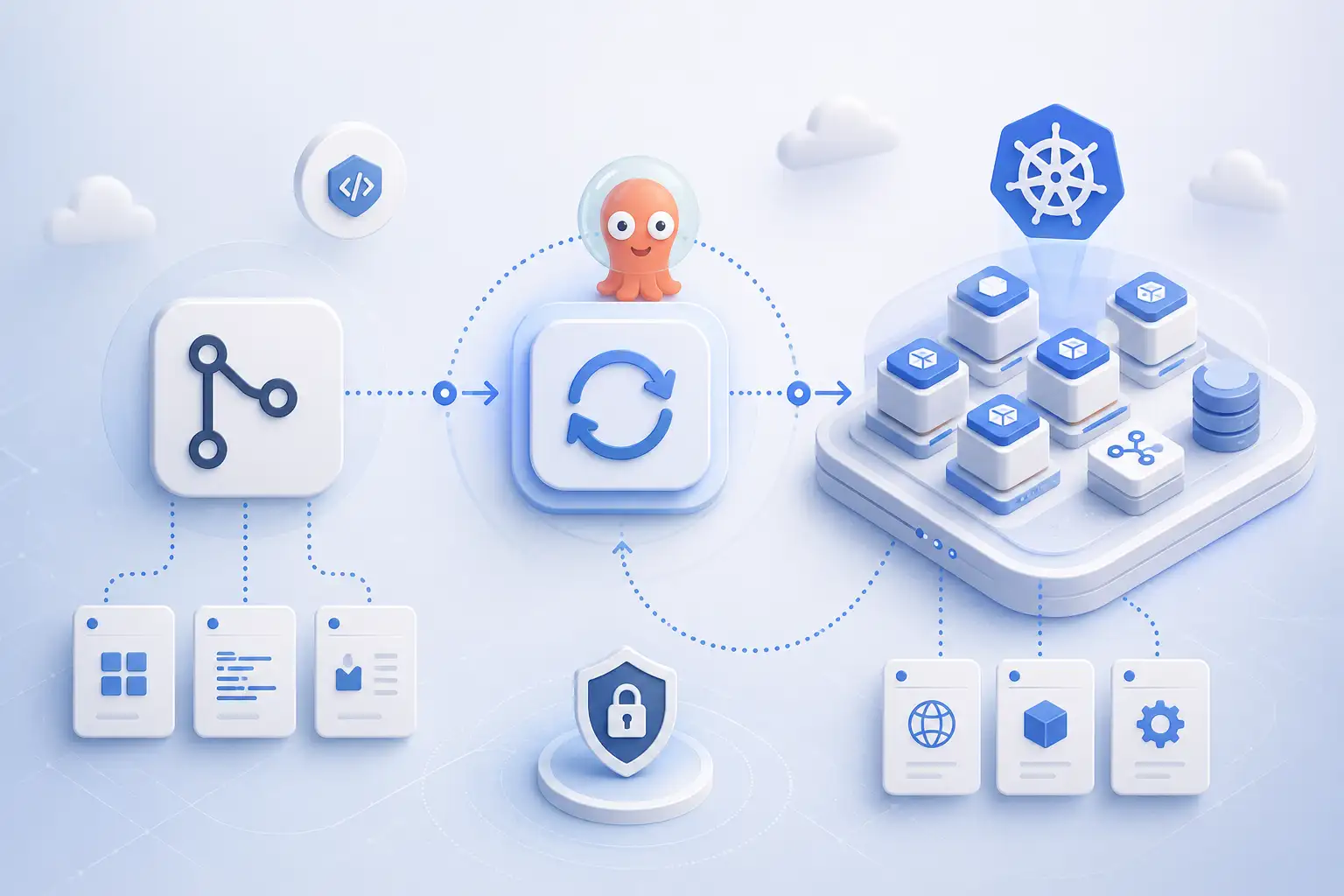
Important: GitOps does not replace CI. The stage of building the image, tests and security scanning is still handled in your CI tool. GitOps takes over only the CD stage — delivering the change to the cluster. A typical flow looks like this: CI builds and tags the image → CI updates the image version in the manifest repository → Argo CD detects the change in Git and synchronizes the cluster.
What Is Argo CD and How Does It Work
Argo CD is a declarative GitOps tool for Kubernetes, a CNCF project at the Graduated level. It runs as a controller inside the cluster and continuously compares the state described in Git with the actual state.
Argo CD consists of several components:
- API Server — exposes the API as well as the web UI and CLI; it handles authentication, RBAC and application management.
- Repository Server — fetches Git repositories and renders the final manifests from them (Helm, Kustomize, or plain YAML).
- Application Controller — the heart of the system; it runs the reconciliation loop, the loop that periodically compares the desired state with the cluster state and performs synchronization.
Reconciliation Loop, Sync and Health Status
Every application in Argo CD has two key statuses:
- Sync status — whether the cluster state matches Git:
SyncedorOutOfSync. - Health status — whether the resources are actually working:
Healthy,Progressing,Degraded,Missing.
When someone manually changes a resource in the cluster, Argo CD detects the difference and marks the application as OutOfSync. With the self-heal option enabled it automatically restores the state from Git — an effective mechanism for eliminating configuration drift and “manual fixes”.
Argo CD vs Flux
The second leading GitOps tool is Flux. Both are CNCF Graduated projects and implement the same principles. In short:
- Argo CD — a rich UI with a resource-tree visualization, a multi-tenant model (Projects, RBAC, SSO), convenient for many teams on a shared platform.
- Flux — lighter, entirely driven by the Kubernetes API (a set of controllers), with no UI of its own; often chosen for a purely declarative approach and integration with Terraform.
For teams that value insight into state and access control, we usually recommend Argo CD. For minimalist, fully automated platforms (e.g. Cluster as a Service) — Flux. Both are good choices.
Installing Argo CD
The simplest installation comes down to creating a namespace and applying the official manifest:
kubectl create namespace argocd
kubectl apply -n argocd -f https://raw.githubusercontent.com/argoproj/argo-cd/stable/manifests/install.yaml
For production environments, however, the official Helm chart is better, as it lets you manage Argo CD configuration declaratively (HA, SSO, resources, ingress):
helm repo add argo https://argoproj.github.io/argo-helm
helm install argocd argo/argo-cd -n argocd --create-namespace
After installation, it’s worth installing the argocd CLI and logging into the API server. You’ll find the initial admin password in a secret:
kubectl -n argocd get secret argocd-initial-admin-secret \
  -o jsonpath="{.data.password}" | base64 -d
The first thing you should do after logging in is change this password and configure login via SSO — I write about security below.
Your First Application – the Application Object
In Argo CD the unit of deployment is a custom resource (CRD) called Application. It describes: where to get the manifests from (source), where to deploy them (destination) and how to synchronize them (syncPolicy).
apiVersion: argoproj.io/v1alpha1
kind: Application
metadata:
  name: test-api
  namespace: argocd
spec:
  project: default
  source:
    repoURL: https://github.com/your-repo/manifests.git
    targetRevision: main
    path: apps/test-api
  destination:
    server: https://kubernetes.default.svc
    namespace: test
  syncPolicy:
    automated:
      prune: true        # removes resources deleted from Git
      selfHeal: true     # reverts manual changes in the cluster
    syncOptions:
      - CreateNamespace=true
Three options that define GitOps behavior:
- automated — Argo CD synchronizes automatically after detecting a change in Git (without it, synchronization is manual).
- prune — when you remove a resource from the repository, it will also be removed from the cluster. Without it, resources are not deleted automatically. Sometimes it’s worth setting this to “false”.
- selfHeal — restores the state from Git when someone changes a resource manually.
source can point to plain YAML, a Kustomize directory, or a Helm chart.
Scaling GitOps – App of Apps and ApplicationSet
A single application is a simple case. The problem starts when you have dozens of services and three environments (dev/staging/prod). Manually creating hundreds of Application objects is unfeasible. Argo CD offers two patterns.
App of Apps
The App of Apps pattern involves creating a single “parent” application whose manifests point to a directory containing definitions of further Application objects. Deploying the entire platform then comes down to applying a single root manifest — everything else deploys in a cascade. It’s a simple way to manage a set of applications as a whole.
root-argocd-app.yaml) and one child application per app (argocd/*.yaml); each of these renders the actual Kubernetes manifests from apps/<app>/ to the cluster.The repository layout and naming can vary depending on the type of application, the number of clusters you’re deploying to, and many other factors. In practice, though, the layout usually doesn’t deviate much from the scheme below:
example-app/            # repository of application deployment definitions. The source code lives in a separate repository
├── root-argocd-app.yaml          # App of Apps – points to the apps/ folder
│
├── argocd/                      # one Application manifest per application
│   ├── app-1.yaml
│   ├── app-2.yaml
│   └── app-3.yaml
└── apps/               # Kubernetes object definitions
    ├── app-1/
    │   ├── chart/          # Helm chart
    │   └── values/          # environments: dev / qa / prod
    │       ├── dev.yaml
    │       ├── qa.yaml
    │       └── prod.yaml
    │
    ├── app-2/
    └── app-3/
The parent application sits at the root path of the repository, each Application object lives in argocd/, and the actual manifests are in apps/. This split separates the applications (“what to deploy”) from the resource definitions (“what it looks like”).
ApplicationSet
ApplicationSet is a more advanced mechanism — it generates Application objects based on generators. Instead of manually writing identical definitions for each environment, you describe the template once, and the generator fills it with data. The most commonly used generators:
- Git — generates an application for each directory or file in the repository (e.g. a new microservice = a new directory),
- List — from an explicit list of parameters (e.g. a list of clusters or environments),
- Cluster — automatically for each cluster registered in Argo CD.
Thanks to this, adding a new environment or deploying the same application to 20 clusters is a change of a few lines, not copying manifests.
Deployment Order – Sync Waves and Hooks
Not everything can be deployed at once. Database migrations have to run before the application starts, and CRDs before the resources that use them. Argo CD controls the order through sync waves — an annotation that specifies the “wave” in which a resource should be applied:
metadata:
  annotations:
    argocd.argoproj.io/sync-wave: "1"
Resources with a lower wave number are deployed first; Argo CD waits until they are Healthy before moving on to the next one. Additionally, resource hooks (PreSync, Sync, PostSync) let you run tasks at a specific moment of synchronization — e.g. a Job with a database migration in the PreSync phase.
Managing Secrets in Argo CD
This is the most common question and the most common beginner mistake. Argo CD does not encrypt secrets on its own — and keeping passwords in a plain Secret in Git is a major risk. You use one of three patterns:
- Sealed Secrets — you encrypt the secret into a
SealedSecretthat can safely live in Git; the controller in the cluster decrypts it into a nativeSecret. - External Secrets Operator — the secret lives in an external store (AWS Secrets Manager, SSM Parameter Store, HashiCorp Vault), and the operator injects it into the cluster as a native
Secret. In Git you keep only a reference. - Argo CD Vault Plugin — replaces placeholders in the manifests with values pulled from HashiCorp Vault during rendering.
In AWS-based projects we most often recommend the External Secrets Operator with AWS Secrets Manager — a secret in plain form never lands in the repository, and rotation happens on the cloud side.
Argo CD Security – RBAC and SSO
Depending on its configuration, Argo CD can have access to the entire cluster, so it is in itself a high-value target. Key practices:
- Disable the local admin account after configuring SSO (OIDC, e.g. Google, Entra ID, Keycloak) — authentication should go through your identity provider.
- Configure RBAC — map groups from the identity provider to Argo CD roles. Team A should not synchronize Team B’s applications.
- Use Projects —
AppProjectrestricts which repositories, which clusters and namespaces, and which resource types a given group of applications can deploy. This is the foundation of the multi-tenant model. - Limit UI exposure — the API server should not be publicly accessible without need.
A misconfigured GitOps tool is a real attack path to the entire cluster.
Most Common Mistakes and Pitfalls
In projects we most often encounter:
- Secrets in Git — Base64 confused with encryption.
prunedisabled “for safety” — the opposite effect: the cluster fills up with resources that nobody watches anymore.- Manual
kubectl applyalongside Argo CD — you have to decide: either GitOps, or manual. - No resource requests and limits set for Argo CD itself on larger installations — the repo server and controller can be resource-hungry with hundreds of applications.
- One repository for everything — it’s worth separating the application code repository from the manifest repository (config repo).
- No RBAC — Argo CD with access to the entire cluster and a local admin is a serious risk.
When Should You Adopt GitOps?
GitOps pays off fastest when:
- you manage many environments or clusters and synchronizing configuration between them is painful,
- several teams share a platform and you need access control and an audit trail of changes,
- you care about a fast, predictable rollback and a full change history,
- you want to limit access to Kubernetes environments in CI pipelines for security reasons.
For a single, small application on one cluster, the overhead of adopting GitOps may be disproportionate to the benefits — in that case a simple push pipeline can be enough. As usual in Kubernetes: it depends on scale and context.
Summary
GitOps is not yet another tool, but a change of operating model — from the imperative “issuing commands” to the cluster to declaratively describing the desired state and letting the cluster drive itself toward it. Argo CD implements this model in a mature way: with state visualization, a multi-tenant model, RBAC and a rich ecosystem (ApplicationSet, Image Updater, secret integrations).
Doing it correctly, however, requires a well-thought-out repository structure, conscious secret management and proper security configuration — mistakes at this stage can turn a tool that increases control into a new attack surface.
If you want to adopt GitOps and Argo CD in your organization, bring order to cluster management, or verify the security of an existing environment — my team offers Kubernetes audits and support, as well as consultations based on real metrics and best practices.